
TOTAL CONTROL OF AULAQUEST LABS
Build the classroom you always wanted with AulaQuest Presets.
Configure every simulation down to the millimeter, hide irrelevant controls, and guide your students step-by-step. Achieve rigorous assessment and keep their focus exactly where it belongs: on the science you are teaching.
Create your first FREE PresetThe Challenge: Taming the variables for laser-focused learning.
A wealth of variables is what makes our simulations great (sliders, settings, data panels). But for a 50-minute period, that advantage turns into a nightmare if you can't isolate the exact variable you need. Without a precise starting point and clear focus, exploration turns into chaos and grading becomes subjective.
Variable Overload
Total freedom means students change 10 variables at once, completely losing sight of the principle they were supposed to investigate. The experiment spirals out of control.
Inconsistent Grading
Without Presets, every student starts in a different place. It becomes impossible to standardize an assignment and measure progress fairly and objectively.
Classroom Friction
Wasting the first 5 minutes of every class begging students to manually adjust their starting values is an unnecessary loss of quality instructional time.
The Solution: Isolate the learning focus, master your class period.
-
Set the Exact Starting Point: Define any initial value (position, velocity, temperature, mass). Everyone starts at the exact same point for total academic rigor.
-
Hide Controls and Panels: Isolate the learning focus. Disable graphs, data panels, or variable sliders so the student only interacts with what is essential today.
-
Custom Branding: Display your School's or your own logo, along with a custom title. Put your name on every lab experience you create.
-
Live Updates: Maximum agility. If you change a Preset value from your dashboard, it instantly updates across all devices using that same link.
-
Attach Your Labs and Activities: Directly link the custom worksheets and labs you've designed. Include links to your school website, extra resources, or anything else you need.
-
Universal Compatibility & Privacy: Works flawlessly on mobile, tablet, or PC. Share the Preset with a single link. No student registration required.
The Ultimate Test: From a "video game" to a real NASA-level lab
This is how you lose your class right now.
Open any standard simulation: dozens of options, vectors, planets... If you hand that to a teenager, within five minutes they’re changing gravity to Jupiter or shooting things at the ceiling just for fun. And you just watch as half your class checks out.
👉 See the standard simulation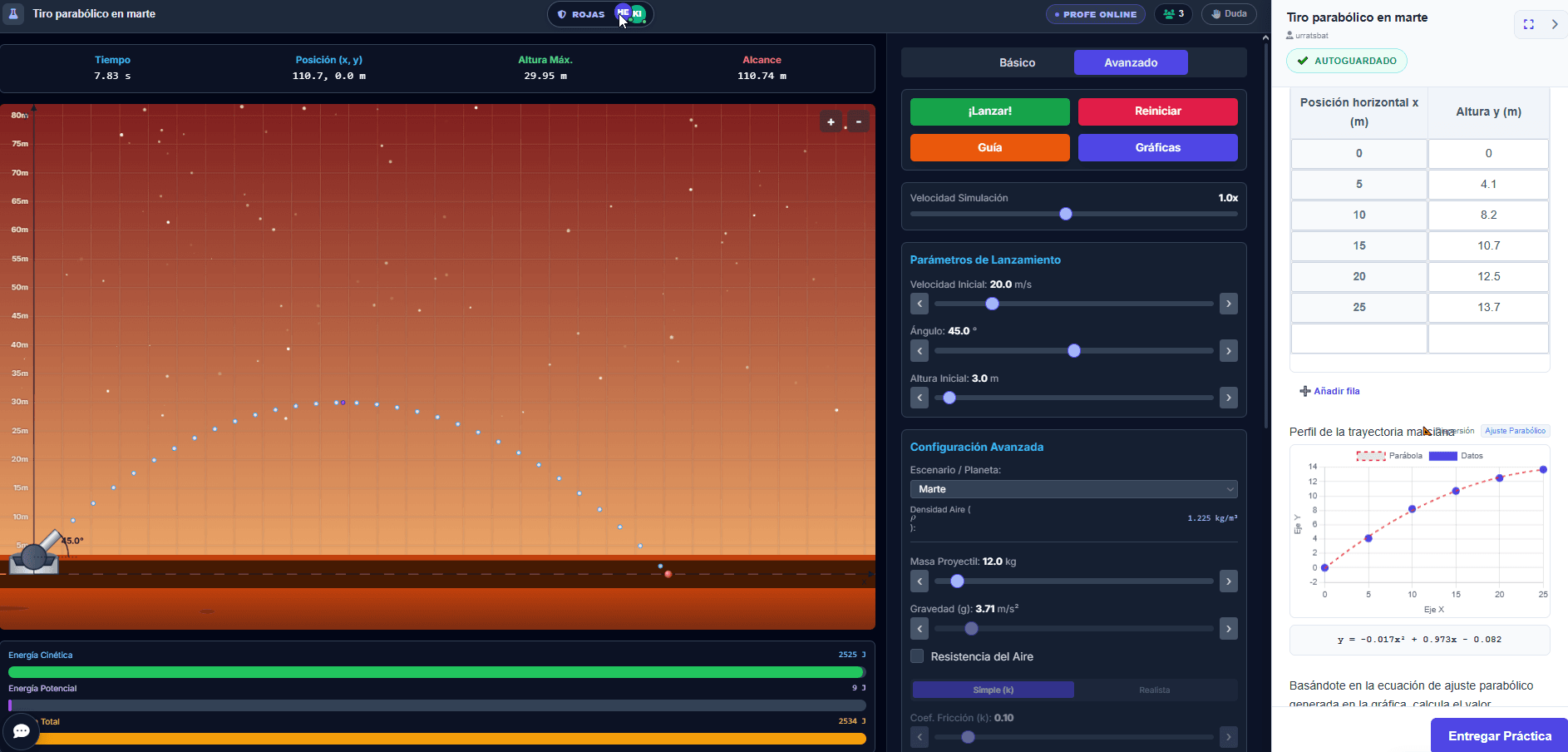
Total control and zero distractions.
With AulaQuest, you define exactly what your students see: you lock the buttons they shouldn't touch, adjust the simulation to your exact starting values, and attach data tables, graphs, and questions right alongside it. They log in and only do exactly what you want them to do. The whole class focused, from the very first second.
Try the Preset as a student:
- Click the blue button.
- Enter the PIN: XSE-NZY
- Type your nickname and enter the locked-down lab.
See the difference?
Stop fighting distractions and start teaching. Your Preset turns a visual toy into a real, secure, and custom-built laboratory.
I want this superpower for my classroom!"With AulaQuest, I was able to tailor the simulation to exactly what I wanted my students to do. While they were measuring, filling out tables, and generating graphs, I could watch on my laptop in real-time to see who was making progress and who needed help. The simulation stopped being a cartoon they just look at, and became the actual classroom lab."

Answering your logical questions about Teacher Control
It’s your "remote control" for the simulation. It allows you to adjust the starting values (set the gravity to Mars, fix a car's velocity at 20m/s), hide any panels you don't want them touching, and generate a link. When students log in, they see the simulation in that exact state. Zero distractions.
Absolutely NOT.
AulaQuest uses a Zero-Friction system. You create the assignment and the system gives you a 6-letter Class PIN (e.g., XSE-NZY). Your students go to the site, enter that PIN, type their name, and they are in and working. No passwords, no emails, 100% legal, and secure (GDPR, FERPA, & COPPA compliant).
Our database is smart. It cross-references your Class PIN with their Name and Team Name if they are doing a group lab.
If Peter started the lab at school with the "Falcons" team, he can go home, open his laptop, enter the PIN, type "Falcons", and the server will return his notebook exactly where he left off.
Yes. With Live Mode, you open your teacher dashboard and see exactly who is connected and what team they are working in. You can send private messages to individual teams or broadcast a message to the whole class.
It works whether you are in the classroom or teaching remotely, and you only need to use it once to feel the control and freedom of guiding a lab without wasting time or stressing out.
Yes, and it will save your life more than once. If halfway through the class you realize you left friction turned on and it’s ruining their calculations, you just go to your dashboard and change it. The change applies instantly for all students the next time they reload the page.
Save time, spark curiosity, and guide your students like never before.
The Preset is the ultimate tool for teachers who demand academic rigor, standardization, and maximum use of instructional time. Unlock this feature and design the exact experiment your lesson plan requires.